How to Classify Software Application Components (A Practical Guide)
Admin · Jul 27, 2026

Every piece of software you use, from a mobile banking app to a hospital's patient record system, is built out of distinct components working together. Knowing how to classify these components isn't just an academic exercise. It helps developers design cleaner systems, helps IT teams manage what they own, and helps businesses make smarter decisions about upgrades, security, and budgets.
If you've ever opened a software architecture diagram and felt a little lost, you're not alone. Terms like "presentation layer," "middleware," and "data component" get thrown around a lot, but they don't always come with a clear explanation. This guide breaks down exactly how software application components are classified, why the classification matters, and how to apply it to real systems you might be working with today.
By the end, you'll have a practical framework you can use whether you're documenting an internal tool, evaluating new software with Developer Tools, or just trying to understand the systems your team relies on every day.
What Does It Mean to Classify a Software Component?
A software component is any self-contained, reusable part of an application that performs a specific job. Classifying components means grouping them based on shared characteristics, such as what they do, where they run, or how they interact with the rest of the system.
Think of it the way you'd think about parts of a car. An engine, a fuel system, and a dashboard display all serve different purposes, even though they work together to make the car function. Software works the same way. A login screen, a payment processor, and a database are all components of the same application, but they belong to entirely different categories.
Classification typically happens along a few key dimensions:
What function the component performs
Where it sits in the system's architecture
How it's deployed and hosted
How it's licensed or distributed
How tightly it's coupled to other components
Each of these angles gives you a different, useful way to organize a system.
Classifying Components by Function
The most common way to classify software components is by the job they do. This is usually the first breakdown anyone learns, because it maps closely to how users and developers actually think about software.
Component Type | Primary Function | Common Examples |
|---|---|---|
User Interface (UI) Components | Display information and capture user input | Buttons, forms, menus, dashboards |
Business Logic Components | Process rules and core application behavior | Pricing engines, validation rules, workflow logic |
Data Access Components | Read and write data to storage | Database drivers, ORMs, query handlers |
Integration Components | Connect the application to external systems | APIs, webhooks, message queues |
Security Components | Protect data and control access | Authentication modules, encryption libraries |
Utility Components | Provide reusable support functions | Logging tools, date formatters, file converters |
Breaking a system down this way makes it much easier to spot where problems might live. If users report slow load times, you can usually narrow it down to the UI or data access layer before touching anything else.
Classifying Components by Architectural Layer
A second, closely related approach looks at where a component sits within the overall system architecture. Most modern applications follow a layered structure, even if the layers aren't always visible to the end user.
Presentation Layer
This is everything the user directly sees and interacts with. It includes the visual design, input fields, and navigation elements. In a mobile app, this is the entire screen experience; in a website, it's the HTML, CSS, and client-side scripts.
Application Layer (Business Logic)
This layer contains the rules that make the software actually useful. It decides what happens when a user submits a form, applies a discount code, or requests a report. This is often considered the "brain" of the application.
Data Layer
This layer manages how information is stored, retrieved, and updated. It includes databases, file storage systems, and caching mechanisms. A well-designed data layer keeps information consistent even when many parts of the application are accessing it at once.
Infrastructure Layer
This includes the servers, networking components, and operating environment that everything else runs on top of. It's rarely visible to end users but is critical to performance and uptime.
Organizing components by layer is especially useful for larger teams, since it lets different specialists (front-end developers, back-end engineers, database administrators, and infrastructure teams) own their piece of the system without stepping on each other's work.
Classifying Components by Deployment Model
Where a component actually runs also matters a great deal, especially as more businesses mix on-premise systems with cloud services.
Deployment Type | Description | Typical Use Case |
|---|---|---|
Client-Side Components | Run directly on the user's device | Mobile apps, browser-based UI logic |
Server-Side Components | Run on a remote server and respond to requests | APIs, backend processing engines |
Cloud-Native Components | Built specifically to run in cloud environments | Microservices, containerized applications |
Hybrid Components | Split functionality between local and remote execution | Offline-first apps that sync when reconnected |
This classification is particularly important for security and performance planning. Client-side components need to be lightweight and resistant to tampering, since users have more direct access to them. Server-side components can be more powerful but need to handle many simultaneous requests reliably.
Classifying Components by Coupling and Reusability
Not all components are created equal in terms of independence. Some are tightly woven into a specific application, while others are designed to be reused across multiple projects.
Tightly coupled components depend heavily on the specific structure of one application. Changing one often forces changes elsewhere, which can make maintenance slower and riskier.
Loosely coupled components operate more independently, usually communicating through well-defined interfaces like APIs. This makes them easier to update, replace, or reuse elsewhere.
Reusable components are built as standalone modules or libraries, meant to be dropped into multiple applications with minimal changes.
Modern software design generally favors loose coupling and reusability, since it reduces long-term maintenance costs and makes it easier to scale a system as needs grow.
Classifying Components by Licensing and Distribution
Beyond technical structure, components are also classified by how they're licensed and shared, which matters a lot for legal and budgeting purposes.
License Type | Description | Example Consideration |
|---|---|---|
Proprietary | Owned and controlled by a single company | Requires paid licensing to use or modify |
Open Source | Source code is publicly available | Free to use, but requires reviewing license terms |
Commercial Off-the-Shelf (COTS) | Pre-built software purchased for a specific need | Faster to deploy, less customizable |
Custom-Built | Developed specifically for one organization | Fully tailored, but higher development cost |
Businesses evaluating new software often need to classify components this way before making a purchase, since licensing terms can significantly affect long-term cost and flexibility.
Why Component Classification Matters in Practice
Classifying components isn't just about organizing a diagram neatly. It has real, practical benefits:
Faster troubleshooting. When something breaks, knowing whether the issue lives in the UI, business logic, or data layer saves significant diagnostic time.
Better team coordination. Clear categories let teams divide responsibilities without confusion over who owns what part of the system.
Smarter upgrades. When components are well classified, it's easier to see which parts of a system are outdated and need replacing, without touching things that already work well.
Improved security review. Security teams can focus their attention where it matters most, since security-related components are clearly identified rather than scattered throughout the codebase.
Easier documentation. New team members ramp up faster when a system's components are organized into clear, labeled categories instead of one tangled mass of code.
A Simple Step-by-Step Process for Classifying Components
If you're documenting an existing system or planning a new one, here's a practical way to approach classification:
1. List every major component. Start broad. Include anything from login screens to background data jobs.
2. Group by function first. Sort each component into UI, business logic, data access, integration, security, or utility categories.
3. Map the architectural layer. Note whether each component belongs in the presentation, application, data, or infrastructure layer.
4. Identify the deployment model. Determine whether each component runs client-side, server-side, or in a hybrid setup.
5. Note licensing and ownership. Flag anything proprietary, open source, or custom-built, since this affects long-term maintenance decisions.
6. Review coupling. Identify components that are tightly bound to others and consider whether they should be decoupled for easier maintenance down the line.
Working through these steps once gives you a reference document that saves time on every future project, whether you're onboarding new developers or planning a system upgrade.
Common Mistakes When Classifying Software Components
Even experienced teams run into a few recurring issues:
Mixing function with layer. A login form is both a UI component and part of the presentation layer, but these are two separate classification systems. Keeping them distinct avoids confusion in documentation.
Ignoring infrastructure components. Servers and networking pieces are easy to overlook because they're invisible to users, but they still need to be tracked and classified.
Overlooking third-party components. External libraries and integrations still count as components and should be classified like anything else, especially for licensing and security purposes.
Skipping documentation. Classification only helps if it's written down somewhere accessible. A classification that exists only in one person's head disappears the moment that person leaves the project.
Bringing It All Together
Classifying software application components gives structure to what can otherwise feel like an overwhelming tangle of code and systems. Whether you organize by function, architectural layer, deployment model, coupling, or licensing, the goal is the same: making a complex system easier to understand, maintain, and improve.
For teams managing day-to-day software tasks, having the right supporting tools makes this process smoother. Document conversions, file management, and quick text edits all come up constantly during system documentation work, and tools like PDF Tools, Image Tools, and Text Tools from Toolsimpli can handle a lot of that groundwork without adding another complicated platform to your stack. If you want more guides like this one, the Toolsimpli Blog covers similar practical, no-fluff topics.
Frequently Asked Questions
What is the main purpose of classifying software components?
Classification makes complex systems easier to understand, maintain, and troubleshoot by grouping components based on shared characteristics like function, architecture, or deployment.
What are the main types of software components by function?
The main functional types are user interface components, business logic components, data access components, integration components, security components, and utility components.
What's the difference between tightly coupled and loosely coupled components?
Tightly coupled components depend heavily on each other and are harder to change independently. Loosely coupled components communicate through defined interfaces, making them easier to update, replace, or reuse.
Why does deployment model matter when classifying components?
Knowing whether a component runs client-side, server-side, or in a hybrid setup affects how it should be secured, optimized, and maintained.
Do third-party libraries count as software components?
Yes. External libraries, plugins, and integrations are still components and should be classified for licensing, security, and maintenance purposes just like internally built ones.
How often should component classification be reviewed?
It's good practice to review classification whenever a system undergoes a major update, integrates new tools, or when onboarding documentation starts to feel outdated.
Related posts
RadioShack PRO-2096 Software
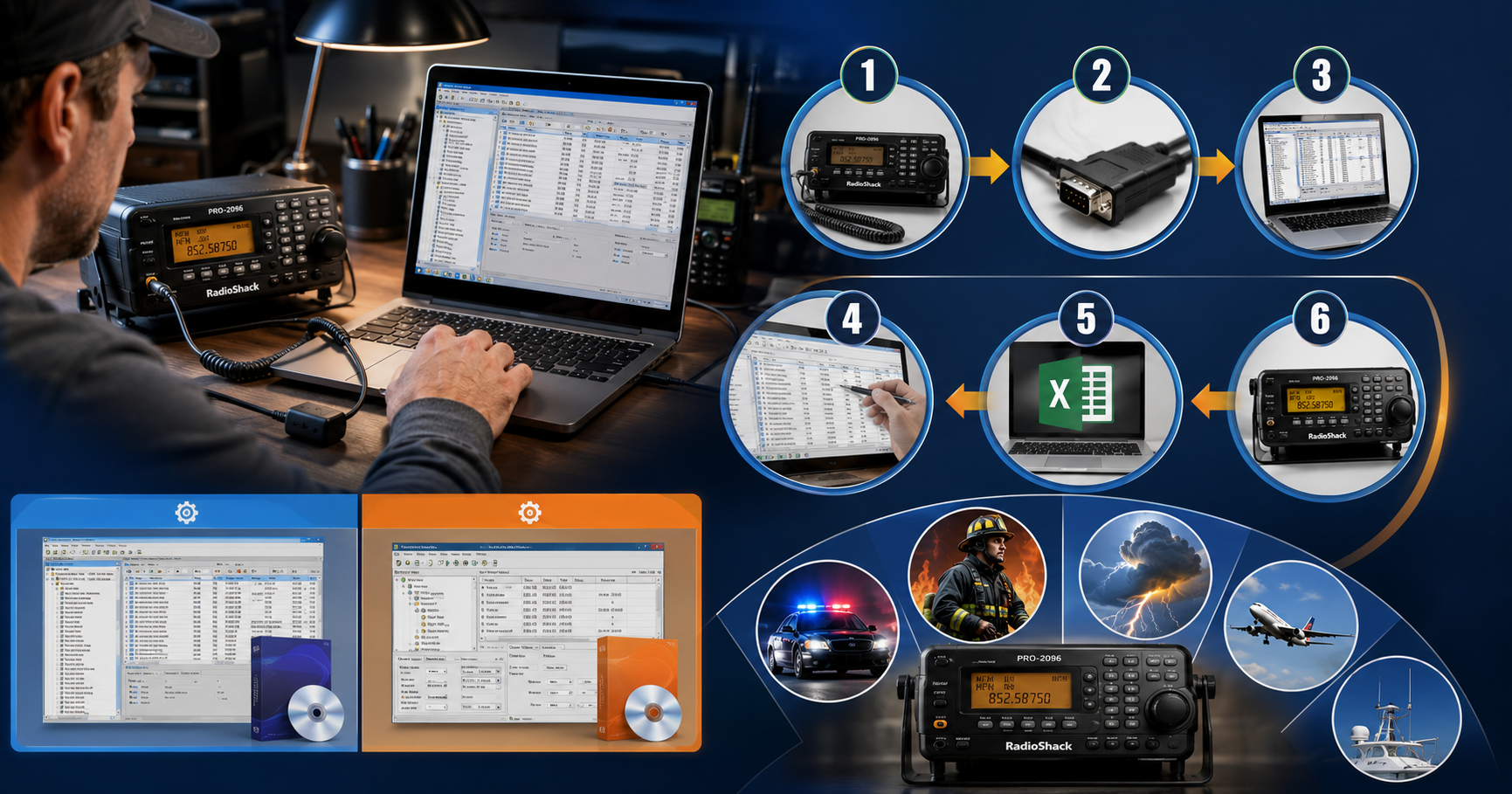
Between the two main options, ARC96 currently has the more reliable reputation for licensing and ongoing support, while Win96 remains a capable program for anyone who already owns a working license. Either way, having dedicated software turns a tedious, error-prone manual process into something you can finish in a few minutes.
UART USB Software: A Practical Guide for Hobbyists and Engineers
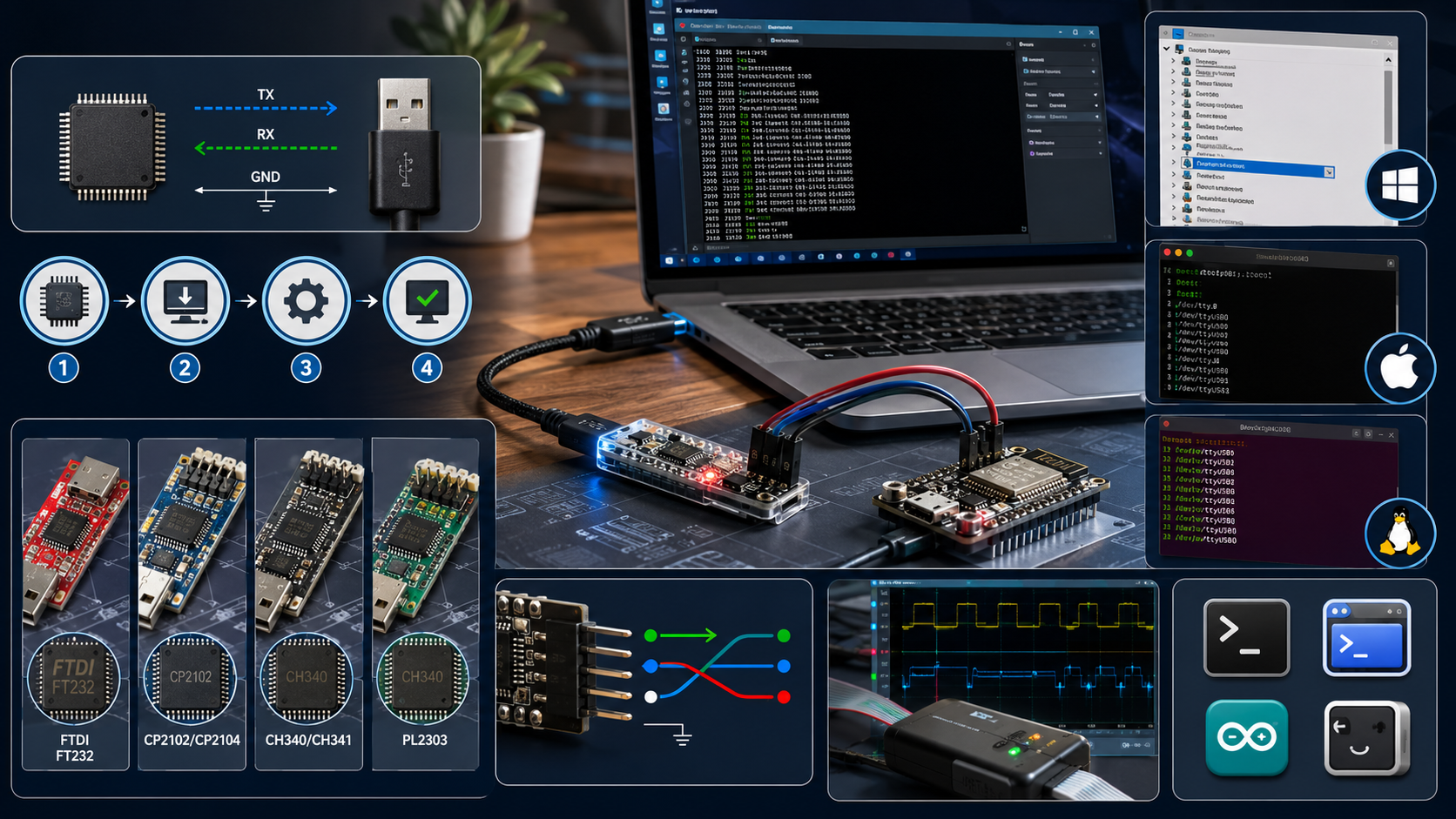
If you’ve installed the right driver, confirmed your wiring, and matched your baud rate, but you’re still getting garbage data, the problem might not be software at all. A cheap USB logic analyzer lets you actually see the electrical signal on the TX/RX lines, which is often the fastest way to catch wiring or timing issues that software troubleshooting alone won’t reveal.
Wolf3D Software: The Company Behind Ready Player Me’s 3D Avatars
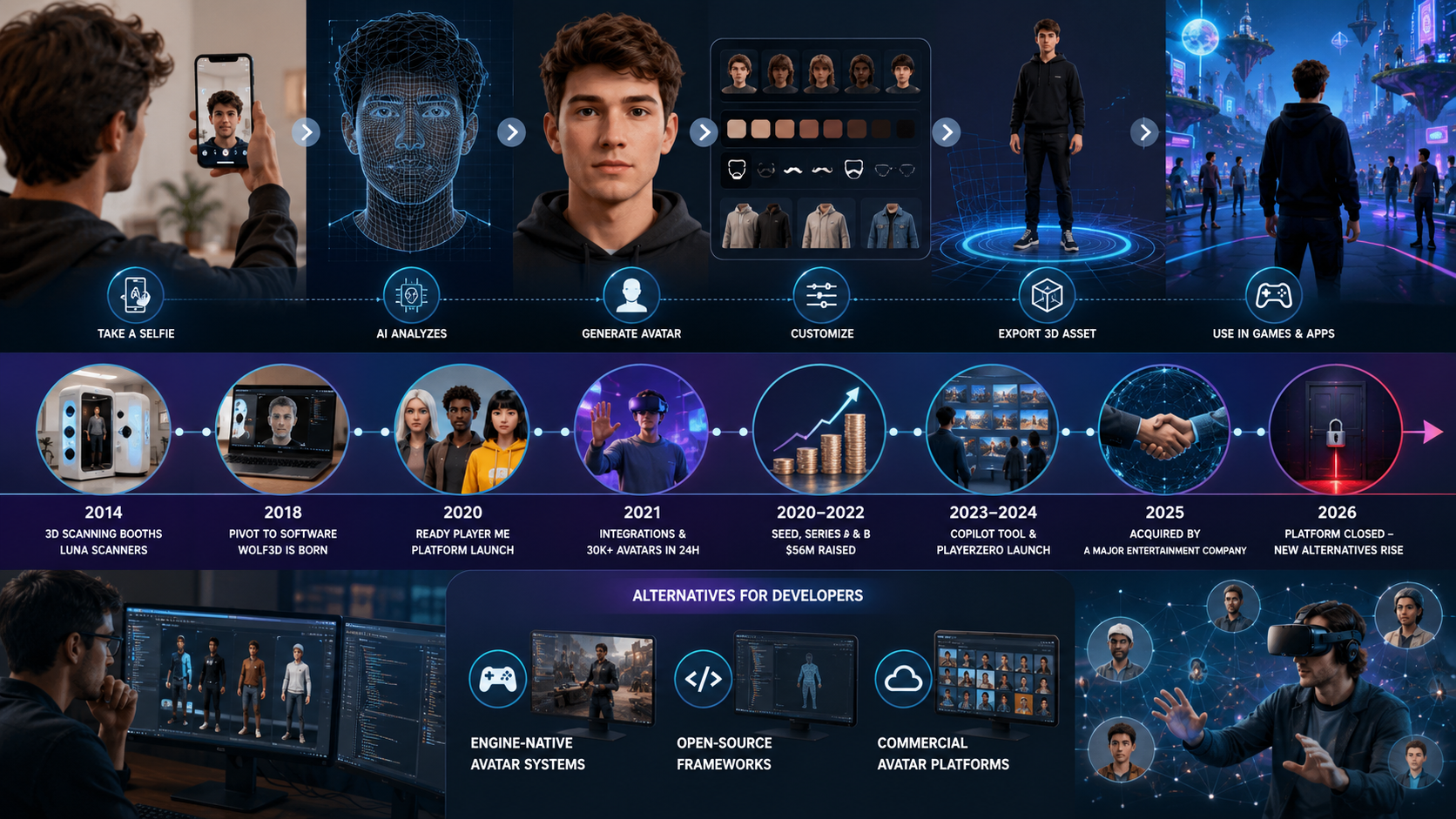
The Wolf3D story is a useful case study for anyone building software in a fast-moving space like the metaverse or 3D avatar tools. A hardware-first idea pivoted into a software product, found real traction by solving a genuine developer pain point, and eventually became valuable enough to attract a major acquisition. It’s also a reminder that platforms you build on top of can shift quickly, so keeping your project’s assets portable and documentation organized is worth the extra effort.

BestOutcome PPM Software Company Overview
BestOutcome has built a long track record in the PPM space, particularly among public sector and healthcare organizations that need rigorous governance and reporting. For organizations already juggling multiple projects and struggling to get a clear, current picture of progress, PM3 is a serious option worth including in any shortlist. For smaller teams running one or two projects, though, a lighter tool is probably the better starting point.

Rippling HR Software Market Share in 2026: What the Numbers Really Show
Rippling isn't the biggest player in HR software by raw market share, and depending on which report you read, it may rank anywhere from third to well down the list. What's harder to argue with is the growth curve. Revenue crossing a billion dollars, tens of thousands of customers, and a steady stream of new features point to a company that's earned its spot on most shortlists.

What Is Immorpos35.3 Software? Features, Benefits, and Business Applications
Managing business operations becomes more challenging as a company grows. Teams often use multiple applications for communication, task management, reporting, and file storage. While these tools may work independently, they can create confusion when information is spread across different platforms. Employees spend extra time searching for data, updating spreadsheets, and following up on pending tasks instead of focusing on meaningful work.