AI Presentation Tools: 56 Best Slide Makers Compared
Admin · Aug 3, 2026

Building a slide deck used to eat an entire afternoon. You would wrestle with fonts, nudge text boxes around, and hunt for images that did not look terrible. AI presentation tools flip that script. You type a topic or paste your notes, and the software drafts the outline, writes the slide text, and designs the layout for you.
The catch? There are now dozens of these tools, and they are not all built for the same job. Some create full decks from a single prompt. Others plug into PowerPoint or Google Slides. A few focus on live audience polls, animated videos, or enterprise brand rules.
This guide compares 56 real, established AI presentation tools in one big table, so you can see launch years, key features, pricing, benefits, and honest user feedback side by side. No filler, no made-up products. Just the tools people actually use.
What Are AI Presentation Tools?
AI presentation tools are apps that use artificial intelligence to create or improve slide decks. Instead of starting from a blank slide, you give the tool a prompt, an outline, or a document. The AI then generates slide content, picks layouts, suggests images, and formats everything to look professional.
Most of them fall into a few groups:
• Prompt-to-deck generators like Gamma that build a complete presentation from a sentence.
• Add-ons like Plus AI and SlidesAI that work inside PowerPoint or Google Slides.
• Design platforms like Canva and Visme that added AI on top of huge template libraries.
• Interactive tools like Mentimeter and AhaSlides that mix slides with live polls.
• Enterprise systems like Prezent and Rollstack that automate branded or data-driven decks at scale.
Quick Picks: The Best Tool for Each Job
Short on time? This table matches the most common needs with a proven winner.
Best For | Top Pick | Why It Wins |
|---|---|---|
Fast, modern decks | Gamma | A short prompt becomes a polished deck in minutes |
Teams on PowerPoint | PowerPoint with Copilot | AI lives inside the editor your office already uses |
Google Slides users | Plus AI | Generates and edits slides right inside Slides |
Students on a budget | Canva Magic Design | Strong free plan plus a massive template library |
Startup pitch decks | Slidebean | Investor-tested structures and fundraising guidance |
Live audiences | Mentimeter | Polls and quizzes keep every listener involved |
How We Evaluated These Tools
Every tool in the master table below is a real product with a track record. For each one, we looked at when it launched, what its AI actually does, what it costs today, where it shines, and what everyday users say about it in public reviews. Pricing changes often in this market, so treat the numbers as close estimates and confirm current plans before you subscribe.
One honest note: you may see other articles promising hundreds of AI presentation tools. Most of those lists are padded with duplicates or products that barely exist. The market genuinely supports about 50 to 60 established tools, and that is exactly what you get here — every entry verified, nothing invented.
The Complete AI Presentation Tools Comparison Table
Here are 56 established AI presentation tools compared across launch year, features, pricing, benefits, real user sentiment, and a quick description of what makes each one different.
SN# | Tool Name | Release Date | Key Features | Pricing | Benefits |
|---|---|---|---|---|---|
1 | Gamma | 2022 | Prompt-to-deck, AI images, card-style layouts, PPT and PDF export, AI editing agent | Free plan; paid from about $10 per month | Full decks in minutes with a modern look and zero design skill |
2 | Tome | 2022 | Narrative decks, AI text and image generation, interactive embeds | Free tier at launch; later shifted to paid sales product | Story-driven pages with strong visuals |
3 | Beautiful AI | 2018 | Smart slide templates, DesignerBot, brand controls, team libraries | Pro about $12 per month yearly; Team about $50 per user | Slides stay tidy automatically as you add content |
4 | Canva Magic Design | 2023 | Magic Design, Magic Write, huge template and asset library, team tools | Free plan; Pro about $15 per month | One workspace for slides plus every other design task |
5 | PowerPoint with Copilot | 2023 | Deck from prompt or Word doc, rewriting, speaker notes, Designer layouts | Microsoft 365 plus Copilot about $30 per user monthly | AI inside the tool most offices already use daily |
6 | Google Slides with Gemini | 2023 | Slide and image generation, deck summaries, Workspace integration | Included in paid Google Workspace AI plans | Seamless fit for Google-first teams |
7 | Plus AI | 2022 | Add-on for Google Slides and PowerPoint, edits existing decks, custom themes | From about $10 per month after free trial | AI output lands inside your normal slide editor |
8 | SlidesAI | 2022 | Text-to-slides add-on, topic mode, translations, image suggestions | Free plan; Pro from about $10 per month | Fast conversion of pasted text into slides |
9 | Presentations AI | 2023 | Chat-style deck generation, brand sync, viewer analytics, adaptive templates | Free starter; Pro about $198 per year | Decks adapt to your brand automatically |
10 | Decktopus | 2019 | AI deck builder, voice notes, embedded forms, custom domains | From about $15 per month | Client-ready decks with lead capture built in |
11 | Pitch | 2020 | Collaborative editor, AI generator, video embeds, analytics, templates | Free plan; Pro about $25 per seat monthly | Real-time teamwork with a fast multiplayer feel |
12 | Slidebean | 2015 | Pitch-deck templates, AI arrange, investor resources, design services | About $199 per year for founders | Startup-specific structure with real investor examples |
13 | Prezi AI | 2023 | Zooming canvas, AI story structure, Prezi Video overlays | Plans from about $7 to $25 per month | Non-linear, memorable movement between ideas |
14 | Visme | 2013 | AI designer, infographics, charts, brand kits, animation | Free plan; paid from about $12 per month | One tool for decks, documents, and data visuals |
15 | Simplified | 2020 | AI presentations, copywriting, video, and social planning in one suite | Free plan; paid from about $12 per month | Replaces several separate marketing tools at once |
16 | Piktochart | 2011 | AI generator for presentations, infographics, reports, and posters | Free plan; Pro about $14 per month | Quick, clean visual documents without design skill |
17 | Genially | 2015 | Interactive slides, quizzes, animations, AI-assisted creation | Free plan; paid from about $7.49 per month | Clickable, game-like presentations that hold attention |
18 | Powtoon | 2012 | Animated video presentations, AI script and scene assistance | Paid plans from about $20 per month | Explainer-style motion instead of static slides |
19 | Emaze | 2013 | Automated design, 3D-style templates, websites and e-cards | From about $9 per month | Flashy templates with minimal effort |
20 | Haiku Deck | 2011 | Simple slides, Zuru AI assistant, bold stock imagery | From about $10 per month | Forces clean, minimal visual storytelling |
21 | DeckRobot | 2019 | AI formatting for existing PowerPoint files at enterprise scale | Enterprise pricing on request | Thousands of slides styled consistently in minutes |
22 | Prezent | 2021 | Brand-compliant enterprise decks, templates, coaching, compliance checks | Enterprise subscription per user | Standardized communication across large companies |
23 | Kroma | 2017 | Premium pitch templates, data visualization assets, expert content | Free basic; premium about $50 per month | Investor-grade visuals and ready assets |
24 | Storydoc | 2021 | Interactive web decks, AI editor, analytics, CRM integrations | From about $40 per month | Scroll-based decks that track reader engagement |
25 | SlideSpeak | 2023 | Chat with documents, generate decks from files, summaries | Free trial; paid from about $20 per month | Turns existing documents into decks fast |
26 | MagicSlides | 2023 | GPT-powered Slides add-on, topic or text input, YouTube-to-deck | Free plan; paid from about $8 per month | Cheap, fast drafts inside Google Slides |
27 | SlidesPilot | 2023 | AI generation plus a large free template library, PPT export | Free plan; paid from about $10 per month | Generous free tier for quick jobs |
28 | SlidesGPT | 2023 | ChatGPT-driven generation, free browsing, pay-per-download model | Free to build; about $2.50 per PowerPoint download | No subscription needed for occasional decks |
29 | Sendsteps | 2012 | AI deck creation with live polls, quizzes, and word clouds | Free plan; paid from about $10 per month | Audience interaction baked into the slides |
30 | Mentimeter | 2014 | Live polls, quizzes, Q&A, AI presentation builder | Free plan; Basic about $12 per month | Instant audience feedback during talks |
31 | AhaSlides | 2019 | Interactive quizzes, polls, spinner wheels, AI slide generation | Free plan; paid from about $8 per month | Affordable audience-interaction option |
32 | Curipod | 2022 | AI lesson generator, discussions, drawing activities for classrooms | Free for teachers; premium about $7.50 per month | Ready classroom lessons in minutes |
33 | Wonderslide | 2023 | Upload a rough draft and AI applies professional design | From about $5 per month | Your existing content, instantly restyled |
34 | Presentory | 2023 | AI generation, teleprompter, webcam recording, virtual backgrounds | Free plan; paid from about $60 per year | Deck creation plus on-camera delivery in one |
35 | AiPPT | 2023 | One-click PPT generation, large template bank, online editing | Free trial; paid from about $10 per month | Familiar PowerPoint-style output quickly |
36 | Smallppt | 2023 | Budget AI PPT maker, mind maps, refinement tools | From about $6 per month | Low-cost drafts for everyday needs |
37 | PopAi | 2023 | AI workspace with chat, PDF reading, and slide generation | Free plan; Pro about $10 per month | Research and slides inside one chat tool |
38 | WPS Presentation AI | 2023 | Office-suite slides, AI writing, one-tap beautify, PPT compatibility | WPS Pro about $36 per year | A cheap full office suite with AI included |
39 | Zoho Show | 2007 | Cloud slides, Zia AI assistance, deep Zoho ecosystem integration | Free for individuals; business via Zoho plans | Clean collaboration for Zoho-based teams |
40 | Napkin | 2024 | Text-to-diagram visuals, editable graphics for slides and docs | Free plan; paid tier available | Turns plain sentences into diagrams instantly |
41 | STORYD | 2022 | Data-presentation structure, AI writing, executive storytelling flow | Free plan; paid from about $18 per month | Business-ready narrative structure built in |
42 | Chronicle | 2023 | Block-based interactive decks, cinematic web-native templates | Free during rollout; paid tiers emerging | A striking, web-native presentation feel |
43 | Rollstack | 2022 | Auto-updating slides from BI tools and data warehouses, scheduling | Custom business pricing | Recurring reports refresh themselves |
44 | Matik | 2019 | Data-driven personalized decks, CRM and warehouse integrations | Custom enterprise pricing | Personalized business reviews at scale |
45 | UpSlide | 2011 | PowerPoint and Excel productivity, brand enforcement, AI features | Enterprise pricing on request | Finance-grade formatting speed and consistency |
46 | Storyflow | 2025 | Narrative canvas, movable story beats, outline handoff to design tools | Free plan; paid plans available | Fixes the argument before the slides exist |
47 | GenPPT | 2024 | Research-driven generation using multiple AI and image models | Free trial; paid plans available | Deeper, sourced content than template fillers |
48 | Genspark AI Slides | 2025 | Agentic research and slide building using mixed AI models | Free credits; Plus about $25 per month | Researches your topic while designing the deck |
49 | Manus | 2025 | General AI agent producing decks, sites, and reports from a brief | Free credits; paid from about $19 per month | One agent handles many deliverable types |
50 | Skywork | 2025 | Agentic office suite generating slides, sheets, and documents | Free credits; paid from about $20 per month | Deep-research decks with citations included |
51 | Felo | 2024 | AI search with instant slide generation from researched answers | Free plan; Pro about $15 per month | Search results become slides directly |
52 | Slidesgo | 2023 | AI presentation maker plus a huge Slides and PPT template library | Free plan; premium about $5 per month | Massive template variety at low cost |
53 | Venngage | 2012 | Infographic-first design, AI generators, accessibility checking | Free plan; paid from about $10 per month | Strong for visual one-pagers and reports |
54 | Designs AI | 2019 | Design suite with Designmaker, Videomaker, and speech tools | From about $19 per month | Several creative generators in one bundle |
55 | Adobe Express | 2021 | Firefly-powered generation, templates, brand kits, quick slides | Free plan; Premium about $10 per month | Adobe polish without the learning curve |
56 | Yoodli | 2021 | AI speech coaching, filler-word tracking, practice analytics | Free plan; paid from about $10 per month | Improves your delivery, not just your slides |
How to Choose the Right AI Presentation Tool
1. Start With Your Ecosystem
If your team lives in Microsoft 365, Copilot in PowerPoint keeps everything familiar. Google-first teams should look at Gemini in Slides, Plus AI, or SlidesAI. If you are not tied to either, standalone tools like Gamma or Beautiful AI give you the most modern experience.
2. Match the Tool to the Deck
A startup pitch, a classroom lesson, and a quarterly business review are very different jobs. Slidebean speaks investor language. Curipod and Genially were built for teachers. Rollstack and Matik exist for data-heavy reports that update themselves.
3. Check the Export Options
Most bosses and clients still expect a PowerPoint or PDF file at the end. Confirm the tool exports cleanly to the format you need. Once you have a PDF deck, free online PDF tools make it easy to compress, merge, or convert it before sending.
4. Test the Free Plan First
Nearly every tool in the table offers a free plan or trial. Generate the same five-slide deck in two or three tools and compare the results. Ten minutes of testing tells you more than any review.
5. Mind Your Visuals and Words
AI-generated images sometimes need cropping, resizing, or background removal, and simple image tools handle those touch-ups in seconds. The same goes for your script: running your speaker notes through free text tools for word counts, case fixes, or cleanup helps your talk sound as sharp as your slides look.
Pros and Cons at a Glance
Pros of AI Presentation Tools | Cons to Watch For |
|---|---|
Cut deck-building time from hours to minutes | First drafts often need fact-checking and editing |
Professional design with no training | Templates can look similar across users |
Built-in images, icons, and charts | The best features usually sit behind paid plans |
Easy exports to PowerPoint, Slides, and PDF | Some tools lock exports or add watermarks on free tiers |
Brand controls keep teams consistent | AI text can sound generic without your own voice |
What Do These Tools Cost?
Pricing in this category clusters into clear bands. Here is where the tools from the master table generally land.
Price Band | Typical Monthly Cost | Example Tools |
|---|---|---|
Free or freemium | $0 to start | Gamma, Canva Magic Design, SlidesAI, Slidesgo, Mentimeter |
Budget | $5 to $12 | MagicSlides, Wonderslide, Smallppt, AhaSlides, Curipod |
Standard | $12 to $25 | Beautiful AI, Visme, Decktopus, Pitch, SlideSpeak |
Business | $25 to $50 and up | Storydoc, Kroma, Genspark AI Slides, PowerPoint with Copilot |
Enterprise | Custom pricing | Prezent, DeckRobot, Rollstack, Matik, UpSlide |
Expert Tips for Better AI-Generated Decks
• Feed the AI structure. A clear outline beats a vague one-line prompt every time.
• Edit the words. AI drafts are starting points; your voice and facts make them credible.
• Keep one idea per slide. Even the best AI cannot fix an overcrowded message.
• Verify every statistic the AI writes before you present it.
• Presenting a technical demo? Pair your deck with handy developer tools for formatting code snippets and JSON samples cleanly on screen.
FAQs About AI Presentation Tools
What is the best free AI presentation tool?
Gamma and Canva Magic Design offer the strongest free plans. Gamma gives you fast, modern decks from a prompt, while Canva adds a massive template and asset library on top of its AI.
Can AI presentation tools replace PowerPoint?
For many people, yes. Tools like Gamma and Pitch are complete editors. But if your workplace requires .pptx files, an add-on like Plus AI or Copilot inside PowerPoint may fit better than a full replacement.
Are AI presentation tools safe for confidential business content?
Consumer tools vary in how they handle data, so read each privacy policy before uploading sensitive material. Enterprise options like Prezent, UpSlide, and Copilot with Microsoft 365 offer stronger compliance controls for regulated industries.
How much do AI presentation tools cost?
Most personal plans run between $5 and $25 per month, and nearly all tools offer a free tier. Enterprise platforms like Rollstack, Matik, and DeckRobot use custom pricing based on team size.
Which AI presentation tool is best for students?
Canva, SlidesAI, Slidesgo, and MagicSlides are popular with students because they are free or cheap, simple to use, and work with Google Slides. Teachers often prefer Curipod and Genially for interactive lessons.
Do AI presentation tools work with Google Slides?
Yes. SlidesAI, Plus AI, MagicSlides, and Gemini all work directly inside Google Slides, and most standalone tools such as Gamma can export decks you can then import into Slides.
AI presentation tools have turned deck-building from a chore into a ten-minute task. Start with the quick-picks table, shortlist two or three tools that match your workflow, and test them on the same real presentation. The right fit will be obvious fast.
Want more comparisons like this one? Browse our latest blogs for fresh guides on the tools shaping everyday work.
Related posts

Top 40 AI Writing Tools List and Compared
ChatGPT changed how people write almost overnight. Instead of picking a template, you simply describe what you need in plain language, and it drafts, rewrites, or brainstorms on the spot. The canvas mode lets you edit a document side by side with the AI, which makes revision feel natural rather than clunky. It handles research summaries, blog outlines, emails, and full articles with equal ease. Writers praise its speed and flexibility, though the output usually needs a human pass to remove generic phrasing. With a free plan alongside Plus at $20/month and Pro at $200/month, it remains the default starting point for AI-assisted writing.

Best AI Tools List 2026: The Complete Guide to Online AI and Computer Tools
This list will keep evolving as new tools launch and existing ones add features, so it's worth bookmarking and checking back the next time you're deciding what to add to your workflow. In the meantime, the fastest way to get value out of any AI tool is simple: start with one real task you do every week, run it through the tool a handful of times, and judge the result against what it would have taken you to do it manually. That comparison, more than any ranking or review, is what tells you whether a tool earns a permanent place in your workflow.

100+ Best AI Tools List 2026: The Complete Comparison Guide
This is a full reference list of over 100 AI tools active in 2026, organized by category with the company behind each one, the year it launched, what it's actually used for, and current starting pricing.
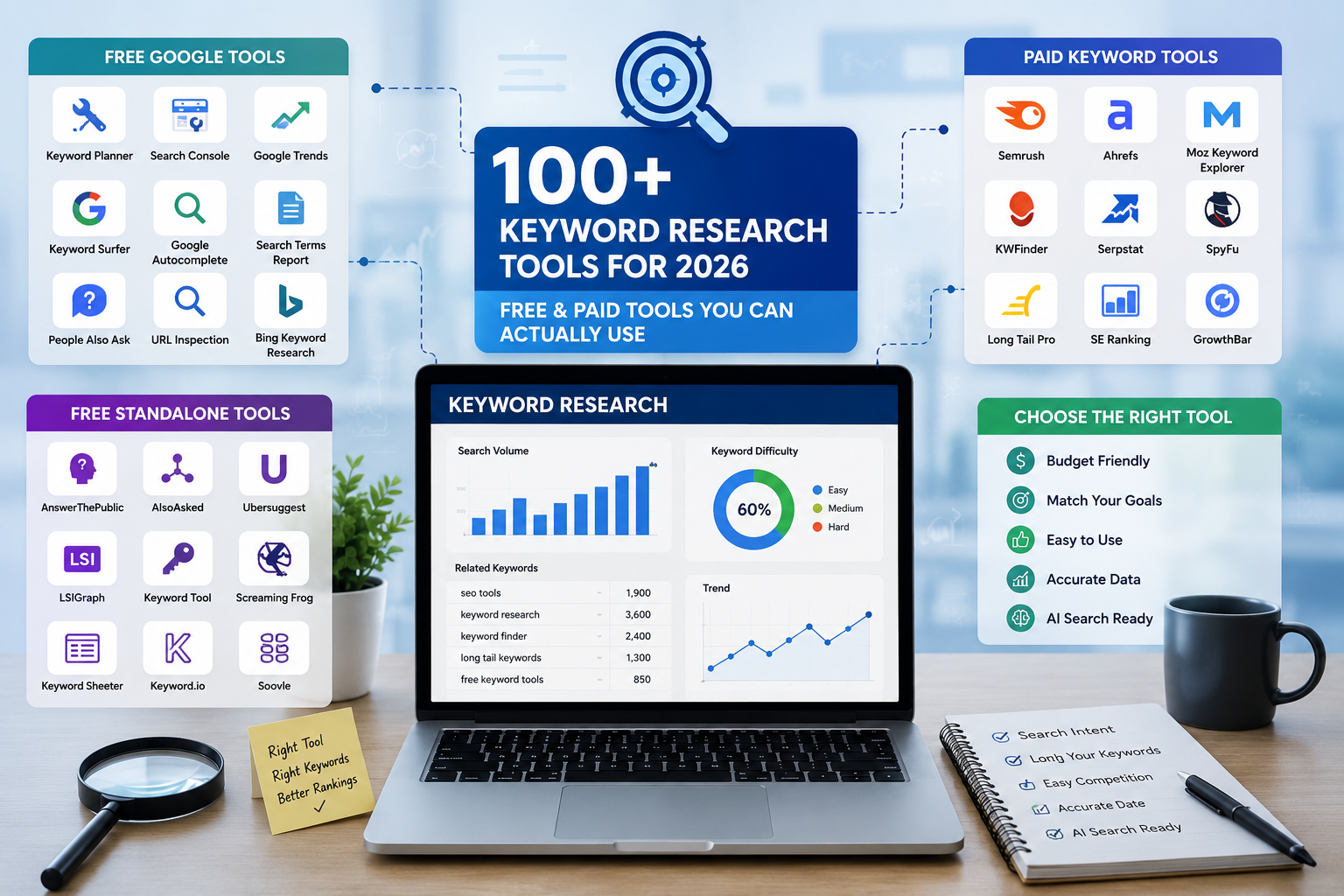
SEO Keyword Tool: 100+ Free and Paid Keyword Research Tools You Can Actually Use in 2026
This guide breaks down more than 100 free and paid keyword research tools, organized by category, so you can quickly find the ones that match your budget, your skill level, and your goals.

150 AI Agents Shaping 2026: The Complete Guide
AI agents have moved from novelty to necessity, reshaping how people code, research, sell, and support customers. This guide profiles 150 of the most notable AI agents available today, spanning general assistants, coding tools, browser automation, agent frameworks, enterprise platforms, sales agents, voice agents, and specialized domain tools. Each entry below includes a short description; a condensed reference table follows at the end of the article.

AI Education Tools: The Complete Guide for Students and Teachers
AI will not replace teachers, and it will not do the learning for anyone. What it does is remove the waiting. No more waiting for office hours, for graded papers, for a tutor the family can afford. Help arrives the moment it is needed.