AI Game Development Tools Free and Paid: The Complete Category Guide
Admin · Aug 10, 2026
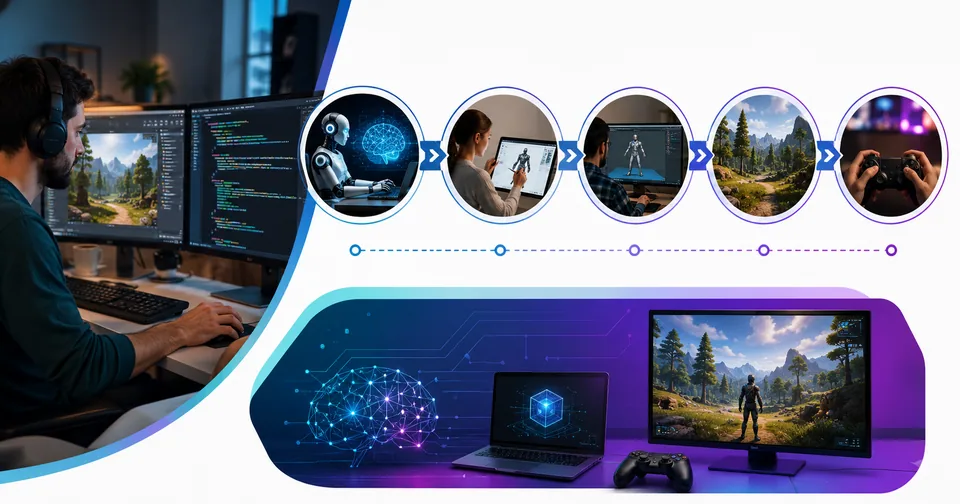
Making a game used to take a big team, a big budget, and a lot of late nights. Not anymore. AI game development tools free and paid now handle work that once ate up months. They write code, draw characters, build 3D models, record voices, compose music, and even test your levels while you sleep.
Here is the problem, though. There are so many of these tools that picking one feels harder than making the game. Some are free forever. Some look free but hide the good stuff behind credits. Some cost more than your monthly rent.
That is why this guide exists. Below, you will find more than 100 real, working AI tools for game design and asset creation, sorted into clear categories. Every table shows the release date, key features, and pricing, so you can compare options at a glance and skip the guesswork.
Whether you are a student building your first platformer, an indie developer chasing a Steam launch, or a studio lead trying to cut production time, there is a stack here that fits your budget. Let’s dig in.
How AI Is Changing Game Development in 2026
The biggest shift is simple: AI moved from a side window into the actual work.
A few years ago, you would ask a chatbot for code, then copy and paste it into your engine. Today, AI agents live inside Unity, Unreal, Godot, and Roblox Studio. They can open your scene, place objects, write scripts, and fix bugs right in the editor.
Asset creation changed just as fast. A text to 3D model generator for games can turn a one-line prompt into a textured, rigged character in under a minute. Voice tools clone actors. Music tools score entire soundtracks. NPC tools let characters hold real, unscripted conversations with players.
For solo developers, this is huge. One person with the right AI game maker without coding can now prototype an idea in a weekend that once needed a five-person team.
The catch? AI output is a starting point, not a finished product. Generated models still need cleanup. Generated code still needs review. The developers winning with these tools treat AI like a fast junior teammate, not a replacement for taste and testing.
Free AI Game Development Tools vs Paid: How to Choose
Do not start with the tool. Start with the job.
Most projects only need one AI tool per pipeline stage. Stacking five art subscriptions because they all look cool is the fastest way to burn money. Here is a quick way to match your situation to the right type of plan.
Your Situation | Best Fit | Why It Works |
|---|---|---|
Student or hobbyist | Free and open-source tools | Zero cost, full learning value |
Solo indie developer | Free tiers plus 1-2 paid tools | Pay only for your weakest skill |
Small team (2-10 people) | Mid-tier paid plans | Shared credits and commercial rights |
Studio or agency | Enterprise and API pricing | Volume, support, and legal safety |
Just testing an idea | Free trials and demo credits | Validate before you spend a dime |
Three things matter more than the sticker price:
Credits, not price. Two tools can both cost $20 a month, but one gives you 200 generations and the other gives you 1,000. Always compare credits per dollar.
Commercial rights. On many platforms, free-tier assets are public or limited. Private ownership and full commercial use often start on paid plans. Read the license before you ship.
Export formats. A gorgeous model that will not export to FBX or GLB is useless in your engine. Check formats before you subscribe.
One more practical tip: keep your game design documents, pitch decks, and license agreements organized from day one. A set of free PDF tools like the ones at PDF Tools makes it easy to merge, compress, and convert those files while you work through pre-production.
What Most Guides Don’t Tell You
We compared the top-ranking articles on this topic, and most of them repeat the same ten tool names. Here is what they usually leave out.
The market is consolidating fast. Tools disappear or get absorbed. A well-known markerless motion capture pioneer shut down after its core tech was acquired by a major 3D software company. Unity folded its Muse features into a broader Unity AI offering. Always check that a tool is still alive and supported before you build your pipeline around it.
In-engine agents are the real 2026 story. The newest category is not another image generator. It is AI that operates a live game editor for you, and it changes how fast you can iterate.
A fully free stack exists. You can go from empty folder to playable build without spending anything: a free open-source engine, open-source image and 3D generation, open-source music and voice models, and a local language model for NPC dialogue. It takes more technical skill, but the price is zero.
Pricing models punish scale differently. Per-character voice pricing, per-token dialogue pricing, and per-credit asset pricing all feel cheap in a prototype and expensive in a live game. Model your launch-month usage before you commit.
The Master List: 100+ AI Game Development Tools by Category
The tables below are grouped by pipeline stage so you can find what you need without scrolling through noise. Release years show when the tool, or its AI features, first became publicly available. Pricing reflects the latest published plans and is rounded for clarity, since providers adjust rates often.
1. All-in-One AI Game Creation Platforms and Engines
This is where beginners should start. These platforms combine an engine, an editor, and AI assistance in one place, so you can go from idea to playable build without juggling ten different apps. The big engines, like Unity and Unreal, now ship with AI copilots that write scripts, generate sprites, and answer questions inside the editor. Browser-based platforms, like Rosebud AI and Upit, go even further and let you type a prompt and watch a small game appear. Ideation tools, like Ludo . ai, sit at the very front of the pipeline and help you research trends, test concepts, and pick a genre with real market data. If you want an AI game maker without coding, this category has the friendliest options on the whole list. Free tiers are common, so try two or three before you settle on one.
SN# | Tool Name | Release Date | Key Features | Pricing |
|---|---|---|---|---|
1 | Unity (with Unity AI) | 2005 (AI tools 2023) | In-editor AI assistant, sprite and texture generation, C# scripting help | Free Personal plan; Pro subscriptions for larger teams |
2 | Unreal Engine 5 | 1998 (UE5 in 2022) | AAA visuals, Blueprints, growing AI assistant and plugin ecosystem | Free; 5% royalty after $1M revenue |
3 | Godot Engine | 2014 | Free open-source engine, works with AI agent add-ons | Free, open source |
4 | Roblox Studio | 2006 (AI Assistant 2023) | Code Assist, texture generation, 3D creation tools, instant publishing | Free |
5 | GDevelop | 2008 (AI features 2023) | No-code events, built-in AI asset generation, web export | Free; optional plans from about $5 monthly |
6 | Buildbox | 2014 (AI features 2023) | Drag-and-drop creation, AI scene and asset generation, mobile export | Free plan; paid subscriptions |
7 | Rosebud AI | 2023 | Text-to-game prototypes in the browser, AI code and asset help | Free plan; paid upgrades |
8 | Ludo . ai | 2021 | Game concept ideation, market research, trend analysis, asset drafts | Free trial; paid from about $15 monthly |
9 | the9bit | 2024 | Retro-style AI game creation with a playful, console-like interface | Free to start; paid upgrades |
10 | Bitmagic | 2023 | Prompt-based 3D game world creation and instant play | Free to try; evolving pricing |
11 | Summer Engine | 2025 | AI agent that operates a live Godot 4 compatible editor | Free tier; paid plans |
12 | Upit | 2024 | Browser AI game builder with remixing and instant sharing | Free |
13 | Bezi | 2022 | Collaborative 3D design with an AI copilot for spatial work | Free plan; paid team plans |
2. AI Coding Assistants for Game Programming
Code is still the backbone of every game, and this is the category where AI saves the most hours per week. Modern assistants do far more than autocomplete. They read your whole project, explain unfamiliar systems, refactor messy classes, write unit tests, and debug engine-specific errors in C#, C++, and GDScript. Agent-style tools, like Cursor and Claude Code, can take a task such as “add a save system” and edit multiple files to finish it. The free tiers here are genuinely useful, which makes these some of the best free AI game development tools for beginners learning to program. Pair them with a good set of free online developer utilities, like the ones at Developer Tools, for formatting JSON, testing regex, and converting data while you build. One warning: always review generated gameplay code, because subtle logic bugs love to hide in it.
SN# | Tool Name | Release Date | Key Features | Pricing |
|---|---|---|---|---|
14 | GitHub Copilot | 2021 | Inline suggestions, chat, agent mode, wide IDE support | Free tier; Pro about $10 monthly |
15 | Cursor | 2023 | AI-first code editor, multi-file agent edits, codebase chat | Free plan; Pro about $20 monthly |
16 | Claude Code | 2025 | Terminal and IDE agent for large refactors and debugging | Included with paid Claude plans; API pricing |
17 | Windsurf | 2024 | Agentic editor with project-aware “flows” and previews | Free plan; paid from about $15 monthly |
18 | OpenAI Codex | 2025 | Cloud coding agent that runs tasks and opens pull requests | Included with paid ChatGPT plans |
19 | Gemini Code Assist | 2024 | Code completion and chat with a generous individual tier | Free for individuals; paid team plans |
20 | Tabnine | 2019 | Privacy-focused completions, team training on your code | Paid from about $9 monthly; trial available |
21 | Amazon Q Developer | 2023 | Code suggestions, agents, and AWS-aware assistance | Free tier; Pro about $19 monthly |
22 | JetBrains AI Assistant | 2023 | Deep IDE integration for Rider and CLion game workflows | Bundled credits; paid tiers from about $10 monthly |
23 | Replit AI | 2022 | Browser IDE with AI agent, instant hosting for web games | Free starter; paid from about $20 monthly |
24 | Sourcegraph Cody | 2023 | Codebase-aware chat and search for large projects | Free plan; Pro about $9 monthly |
25 | Qodo | 2023 | AI test generation and code review for safer merges | Free for individuals; paid team plans |
3. AI 2D Art, Concept Art, and Sprite Tools
Every game needs art, and 2D generation is the most mature corner of the AI world. These tools cover the full range: concept paintings, character sheets, UI icons, backgrounds, marketing key art, and pixel-perfect sprites. Game-focused platforms, like Scenario and Layer AI, let you train a custom model on your own art style so every new asset matches your existing look, which is the single biggest problem generic image tools have. Open-source options, like Stable Diffusion, Flux, and ComfyUI, give you unlimited generations on your own hardware for free. After generation, you will still need to resize, crop, upscale, and convert files for your engine, and a set of free image tools for game asset editing, like the ones at Image Tools, handles those finishing steps quickly. Watch the licenses closely here, since commercial rights and private generations often require a paid plan.
SN# | Tool Name | Release Date | Key Features | Pricing |
|---|---|---|---|---|
26 | Midjourney | 2022 | Best-in-class stylized concept art and key art | Paid only; from about $10 monthly |
27 | Stable Diffusion | 2022 | Open-source image generation, endless community models | Free, open source |
28 | Leonardo AI | 2022 | Game-style presets, texture generation, canvas editing | Free daily credits; paid from about $10 monthly |
29 | Scenario | 2022 | Custom-trained models for style-consistent game assets | Paid plans; free trial |
30 | Layer AI | 2022 | Production-scale asset pipelines for studios and live ops | Paid; studio pricing |
31 | Adobe Firefly | 2023 | Commercially safe generation inside Adobe apps | Free credits; plans from about $5 monthly |
32 | Recraft | 2023 | Vector art, icons, and consistent brand-style sets | Free tier; paid from about $12 monthly |
33 | Ideogram | 2023 | Strong text rendering for logos, UI, and posters | Free tier; paid from about $8 monthly |
34 | Flux | 2024 | High-quality open-weight image models | Free open weights; paid API |
35 | Krea AI | 2023 | Real-time canvas, upscaling, and style exploration | Free tier; paid from about $10 monthly |
36 | ComfyUI | 2023 | Node-based workflows for repeatable asset pipelines | Free, open source |
37 | Retro Diffusion | 2023 | Dedicated pixel-art generation with animation support | Low-cost credits and plugin pricing |
38 | GPT Image (DALL·E) | 2023 | Conversational image creation and quick edits | Included with ChatGPT; free with limits |
4. AI 3D Model and Asset Generators
Traditional 3D modeling is the biggest bottleneck in game production. A single character can eat 20 to 40 hours of modeling, unwrapping, texturing, and rigging. These text to 3D and image to 3D tools shrink that to minutes. Meshy and Tripo AI lead the pack for game-ready output, with clean topology, PBR textures, auto-rigging, and direct plugins for Blender, Unity, and Unreal. Rodin sits at the premium end with photoreal quality, while open-source models like TRELLIS and Hunyuan3D deliver a shockingly good AI game asset generator free of charge if you have your own GPU. Aggregator platforms even bundle several models under one subscription so you can pick the right generator per asset. Expect to do some cleanup, though. Retopology, UV fixes, and material checks are still normal before an AI mesh is truly production-ready for your engine.
SN# | Tool Name | Release Date | Key Features | Pricing |
|---|---|---|---|---|
39 | Meshy | 2023 | Text and image to 3D, auto-rigging, engine plugins | Free tier; Pro about $20 monthly |
40 | Tripo AI | 2023 | Fast generation, clean topology, stylized modes, auto-animation | Free credits; paid from about $12 monthly |
41 | Rodin (Hyper3D) | 2024 | Premium photoreal meshes with 4K PBR textures | Premium plans; usage-based API |
42 | Luma AI | 2021 | 3D capture and generative scene tools from phone video | Free tools; paid upgrades |
43 | Kaedim | 2021 | Concept art to usable 3D with human-in-the-loop QA | Paid; studio pricing |
44 | Sloyd | 2021 | Parametric prop generation with instant customization | Free tier; paid plans |
45 | Spline AI | 2023 | Browser 3D design with AI generation for web games | Free plan; paid from about $9 monthly |
46 | 3D AI Studio | 2023 | Multi-model access (Meshy, Tripo, Rodin) in one place | From about $19 monthly; trial credits |
47 | CSM AI | 2023 | Image to 3D worlds and characters for interactive use | Free tier; paid plans |
48 | TRELLIS (Microsoft) | 2024 | Open-source 3D generation with strong visual fidelity | Free, open source |
49 | Hunyuan3D (Tencent) | 2024 | Open-source text and image to 3D with texture synthesis | Free, open source |
50 | Anything World | 2020 | AI rigging and animation for almost any 3D model | Free tier; paid plans |
51 | Polycam | 2020 | Photogrammetry scanning to capture real objects as assets | Free plan; Pro subscription |
5. AI Texture, Material, and World-Building Tools
Great environments sell a game before the first line of dialogue. This category covers the tools that dress your scenes: seamless PBR textures, skyboxes, materials, and even entire generated worlds. Skybox AI creates full 360-degree environment backdrops from a text prompt, which is a massive shortcut for space games, fantasy vistas, and VR scenes. Promethean AI acts like a virtual art department that places assets and builds level layouts from plain-English requests. On the research frontier, world models like Google Genie 3 and the Oasis demo generate playable, interactive environments frame by frame, hinting at where AI tools for game design are heading next. For hands-on artists, open-source options like ArmorLab and Infinigen keep the whole texture and terrain workflow free. These tools pair naturally with the 3D generators above: block out the world here, then fill it with generated props and characters.
SN# | Tool Name | Release Date | Key Features | Pricing |
|---|---|---|---|---|
52 | Promethean AI | 2018 | Natural-language scene assembly and asset management | Free for personal use; paid licenses |
53 | Skybox AI (Blockade Labs) | 2023 | Text to 360-degree skyboxes with style presets | Free tier; paid from about $12 monthly |
54 | Poly | 2022 | Prompt-based seamless PBR textures with maps | Free tier; Pro subscription |
55 | Adobe Substance 3D Sampler | 2023 (AI text-to-texture) | Photos and prompts to production materials | Substance plans from about $20 monthly |
56 | ArmorLab | 2021 | AI texture authoring from photos, open workflow | Free source; low-cost binaries |
57 | Texture Lab | 2022 | Instant generated game textures from text | Free |
58 | Infinigen | 2023 | Procedural photoreal 3D worlds from open code | Free, open source |
59 | Google Genie 3 | 2025 | Research world model generating playable scenes | Research preview; limited access |
60 | Oasis (Decart) | 2024 | Real-time AI-generated playable world demo | Free demo |
6. AI Animation and Motion Capture Tools
Animation is where stiff games go to die, and it used to demand either years of skill or a mocap studio. AI flipped that. Video-based motion capture tools, like Move AI, DeepMotion, Plask, and Rokoko Vision, turn ordinary phone footage into skeletal animation data you can retarget onto any rigged character. Physics-assisted tools like Cascadeur help you pose keyframes while the AI keeps weight, balance, and momentum believable, which makes action animation dramatically faster. Text-to-animation tools like Krikey AI go even further and generate motion from a written description. Adobe’s Mixamo remains the free workhorse of this category, auto-rigging humanoid characters and offering a huge library of ready-made motions. For most indie teams, the winning combo is simple: auto-rig for free, capture custom motion with a phone, then polish the important moments by hand in your engine or DCC tool of choice.
SN# | Tool Name | Release Date | Key Features | Pricing |
|---|---|---|---|---|
61 | Cascadeur | 2019 | Physics-aware AI keyframing for believable action | Free plan; paid subscriptions |
62 | Mixamo | 2008 | Free auto-rigging and large motion library | Free |
63 | DeepMotion | 2020 | Video to 3D animation, text-to-motion tools | Free tier; paid plans |
64 | Plask | 2021 | Browser-based mocap from video with editing | Free tier; paid plans |
65 | Rokoko Vision | 2022 | Free dual-camera video mocap, suit ecosystem | Free single-camera; paid upgrades |
66 | Move AI | 2022 | High-fidelity markerless mocap from phone cameras | Paid; single-camera app around $15 monthly |
67 | Wonder Studio | 2023 | Auto-replace live actors with CG characters | Paid from about $20 monthly |
68 | Krikey AI | 2022 | Text-to-animation with exportable rigs | Free tier; paid plans |
69 | QuickMagic | 2023 | Video to production-quality mocap in the cloud | Free credits; paid plans |
70 | Motorica | 2022 | ML locomotion and style-based character motion | Enterprise pricing |
7. AI Voice, Speech, and Sound Effect Tools
Voice acting used to be the first thing indie budgets cut. Now it is one of the cheapest layers of polish you can add. Text-to-speech platforms, like ElevenLabs and the newer Inworld TTS, produce natural, emotional line reads in dozens of languages, and per-character pricing has dropped fast thanks to fierce competition. Game-focused providers, like Replica Studios, license ethically sourced voices specifically for interactive projects, which keeps your legal team happy. On the sound design side, Krotos Studio and prompt-based effect generators create footsteps, impacts, whooshes, and ambiences on demand. Open-source models like Bark and Meta’s AudioCraft let technical teams self-host and skip usage fees entirely. A practical warning from live games: per-million-character rates feel tiny in a demo and grow quickly at scale, so estimate your real script volume before choosing between a subscription and an API.
SN# | Tool Name | Release Date | Key Features | Pricing |
|---|---|---|---|---|
71 | ElevenLabs | 2022 | Leading TTS, voice cloning, dubbing, sound effects | Free tier; paid from about $5 monthly |
72 | Inworld TTS | 2025 | Studio-quality low-latency voices for real-time games | Usage-based, around $5-10 per million characters |
73 | Murf AI | 2020 | Polished voiceovers with team collaboration | Paid plans; free trial |
74 | PlayAI | 2018 | Conversational voices and real-time speech APIs | Free tier; paid plans |
75 | Resemble AI | 2019 | Voice cloning, speech-to-speech, deepfake detection | Usage-based; paid plans |
76 | Replica Studios | 2019 | Licensed AI voice actors built for games | Paid credits; game licensing |
77 | OpenAI TTS | 2023 | Simple API voices with expressive control | Usage-based, about $15 per million characters |
78 | Bark (Suno) | 2023 | Open-source TTS with laughs, sighs, and emotion | Free, open source |
79 | Krotos Studio | 2023 | Performable AI-assisted sound design library | Free version; paid from about $10 monthly |
80 | AudioCraft (Meta) | 2023 | Open-source sound and audio generation models | Free, open source |
8. AI Music Generators for Games
A soundtrack changes how a game feels more than almost any visual upgrade, and licensing traditional music is expensive and legally messy. AI music platforms solve both problems at once. AIVA has been composing emotional orchestral tracks since 2016 and remains a favorite for cinematic scores. Suno and Udio generate full songs, with vocals, from a text prompt in seconds. Royalty-free platforms, like Soundraw, Mubert, and Beatoven, are built specifically for creators who need safe commercial licenses and easy mood-based editing, which is perfect for looping level themes and adaptive intensity layers. If you want a completely free route, Meta’s open-source MusicGen produces solid instrumental tracks on your own hardware. The smart workflow for most teams: generate many candidate tracks cheaply, shortlist the keepers, then spend your budget mastering the few pieces players will hear a hundred times.
SN# | Tool Name | Release Date | Key Features | Pricing |
|---|---|---|---|---|
81 | AIVA | 2016 | Emotional orchestral and cinematic composition | Free tier; paid from about $12 monthly |
82 | Suno | 2023 | Full songs with vocals from text prompts | Free daily credits; paid from about $10 monthly |
83 | Udio | 2024 | High-quality song generation and remixing | Free tier; paid from about $10 monthly |
84 | Mubert | 2017 | Endless royalty-free adaptive music streams | Free tier; paid from about $14 monthly |
85 | Soundraw | 2020 | Editable royalty-free tracks by mood and genre | Paid from about $17 monthly |
86 | Boomy | 2019 | Instant song creation and distribution | Free tier; paid upgrades |
87 | Stable Audio | 2023 | Text-to-music and sound with pro licensing | Free tier; paid from about $12 monthly |
88 | Beatoven | 2021 | Mood-based background scores for media | Paid from about $6 monthly; trial credits |
89 | MusicGen (Meta) | 2023 | Open-source instrumental music generation | Free, open source |
9. AI NPC, Dialogue, and Narrative Tools
This is the category players actually notice. Instead of picking from three canned dialogue options, players can now talk to characters that remember past choices, react to tone, and improvise within the personality you define. Inworld AI and Convai lead the specialized field, offering character brains with memory, emotion, and safety filters plus ready-made Unity and Unreal plugins. NVIDIA ACE bundles dialogue, voice, and facial animation into one real-time pipeline. Budget-minded teams route dialogue through general LLM APIs, or run models locally with KoboldCPP to remove per-call costs entirely. On the writing side, tools like Sudowrite and NovelAI help narrative designers draft quests, lore, and branching scripts faster. When you are polishing thousands of dialogue lines, simple utilities matter too, and handy text tools for cleaning up game scripts, like the ones at Text Tools, speed up word counts, case fixes, and find-and-replace passes.
SN# | Tool Name | Release Date | Key Features | Pricing |
|---|---|---|---|---|
90 | Inworld AI | 2021 | Character engine with memory, emotion, real-time runtime | Free tier; usage-based scaling |
91 | Convai | 2022 | Low-latency voiced NPCs with scene perception | Free tier; paid from about $14 monthly |
92 | NVIDIA ACE | 2023 | Dialogue, speech, and facial animation microservices | Free SDKs; usage-based cloud |
93 | Charisma | 2019 | No-code interactive story and character platform | Paid licensing; education plans |
94 | KoboldCPP | 2023 | Run local LLMs for offline NPC dialogue | Free, open source |
95 | OpenAI API | 2020 | GPT models for dynamic dialogue and quest logic | Usage-based tokens |
96 | Claude API | 2023 | Long-context models for lore-heavy narrative systems | Usage-based tokens |
97 | Gemini API | 2023 | Multimodal models with a generous free tier | Free tier; usage-based |
98 | NovelAI | 2021 | AI-assisted storytelling and world-building | Paid from about $10 monthly |
99 | Sudowrite | 2020 | Fiction-focused drafting and rewriting tools | Paid from about $10 monthly |
100 | Ready Player Me | 2020 | Cross-game avatar platform with AI creation | Free for developers; enterprise plans |
10. AI Playtesting, QA, Localization, and Live Ops Tools
Shipping is only half the job. This final category covers the unglamorous work that decides whether players stay: testing, translation, and community health. AI QA platforms, like modl . ai, deploy bots that play your build for hours, hunting crashes, stuck spots, and balance problems no human tester has time to find. GameDriver automates regression tests inside Unity and Unreal so every new patch gets checked. On the localization side, DeepL, Gridly, and Lokalise AI translate and manage game text across dozens of languages while keeping character names and variables intact, which massively widens your launch audience. For live multiplayer games, Modulate ToxMod and GGWP use AI to detect voice and chat toxicity before it drives players away, and Getgud . io watches gameplay itself for cheating and griefing. These tools skew toward studio budgets, but even solo developers can start with the free translation tiers.
SN# | Tool Name | Release Date | Key Features | Pricing |
|---|---|---|---|---|
101 | modl . ai | 2018 | AI bots for automated playtesting and bug hunting | Custom studio pricing |
102 | GameDriver | 2020 | Automated in-engine testing for Unity and Unreal | Paid; trial available |
103 | GGWP | 2021 | AI chat moderation and community health scores | Enterprise pricing |
104 | Modulate ToxMod | 2020 | Real-time voice chat toxicity detection | Enterprise pricing |
105 | Getgud . io | 2022 | Gameplay observability, cheat and grief detection | Usage-based; studio plans |
106 | DeepL | 2017 | High-accuracy translation for game text | Free tier; Pro from about $9 monthly |
107 | Gridly | 2020 | Localization management built for games | Free tier; paid plans |
108 | Lokalise AI | 2023 | AI translation inside a full localization suite | Paid; team pricing |
How to Build Your First AI Tool Stack: A Simple 5-Step Plan
Feeling overwhelmed by 108 options? Use this order. It mirrors how successful indie teams actually adopt AI.
Pick your engine first. Unity, Unreal, Godot, or a no-code platform. Everything else plugs into this choice.
Add one coding assistant. Start with a free tier. This alone can double your daily progress.
Solve your weakest craft. Can’t draw? Add a 2D or 3D generator. Can’t compose? Add a music tool. Pay for only that one gap.
Prototype with free tiers everywhere else. Voices, sound effects, and dialogue can all run on free credits during development.
Upgrade only what ships. When the game is real, buy commercial licenses for the assets and services that made the final cut.
Expert tip: keep a simple spreadsheet of every tool you use, its license terms, and which assets came from it. Storefronts and publishers increasingly ask for AI disclosure, and having records ready saves painful audits later. If you want deeper walkthroughs of individual tools and workflows, the latest blog guides on AI tools at Latest Blogs are a good next stop.
Common Mistakes to Avoid With AI Game Development Tools
Mistake | Why It Hurts | What to Do Instead |
|---|---|---|
Subscribing to five art tools at once | Overlapping features, wasted budget | One tool per pipeline stage |
Ignoring license terms on free tiers | Assets may not be cleared for commercial use | Read commercial-rights rules before shipping |
Shipping raw AI output | Generic look, hidden bugs, messy meshes | Treat AI output as a first draft |
Choosing by demo videos alone | Demos hide credit limits and export gaps | Run your own test asset through the tool |
Building on unmaintained tools | Shutdowns strand your pipeline mid-project | Check recent updates and community activity |
Ignoring usage-based costs at scale | Voice and dialogue APIs balloon after launch | Model launch-month usage before committing |
FAQs About AI Game Development Tools
There is no single best tool because the work splits into different jobs. For coding, GitHub Copilot and Cursor lead. For 3D assets, Meshy and Tripo AI stand out. For NPC dialogue, Inworld AI and Convai are the specialists. Pick by the job you need done, not by hype.
Not a finished, shippable one. Browser platforms like Rosebud AI can generate small playable prototypes from a prompt, and research world models can create interactive scenes. But a real game still needs human design decisions, engineering, balancing, and testing. AI accelerates every stage; it does not replace the developer.
Many are. Godot, Stable Diffusion, ComfyUI, TRELLIS, Mixamo, Bark, MusicGen, and KoboldCPP are completely free, and most commercial platforms offer usable free tiers. Paid plans mainly buy you more credits, faster generation, private ownership, and full commercial rights.
For 2D art with a consistent style, Scenario and Leonardo AI are strong picks. For 3D models, Meshy is the most beginner-friendly, Tripo AI generates the cleanest game-ready topology, and Rodin delivers the highest visual quality at a premium price.
Usually yes, but it depends on the tool and your plan. Most major platforms grant commercial rights on paid tiers, while some free tiers make your generations public or restrict usage. Also note that several storefronts ask developers to disclose AI-generated content, so keep records of what you used.
Yes. Unity folded its Muse features into a broader Unity AI offering with in-editor assistance and asset generation. Unreal Engine has a fast-growing ecosystem of AI assistants and plugins, and NVIDIA ACE integrates with both engines for smart NPCs. Godot users can add AI through agent-based tools built for it.
Start with a no-code platform such as GDevelop, Buildbox, or Rosebud AI. Describe your idea, let the AI generate a starting scene, then adjust it with drag-and-drop logic. Add free generated art and music, and you can have a playable prototype in a weekend without writing a line of code.
The evidence so far says no. AI removes repetitive production work, but game design is taste, storytelling, and player empathy, and those remain human strengths. What is changing is team size: one skilled developer with a good AI stack can now do work that recently required several people.
TRELLIS from Microsoft and Hunyuan3D from Tencent are open source and free if you have a capable GPU. Meshy, Tripo AI, and Luma AI all offer free credits in the cloud with no hardware needed, which is the easier route for most beginners.
Most individual plans land between $5 and $25 monthly. A realistic solo-developer stack, one coding assistant plus one asset generator, runs about $20 to $40 a month. Studio and enterprise platforms for QA, moderation, and localization use custom or usage-based pricing that scales with your player count.